What if your “screen fatigue” isn’t just about blue light?
Blue light glasses are everywhere-marketed for eye strain, better sleep, headaches, and long workdays in front of screens. But not all lenses are the same, and not every claim holds up equally well.
Before choosing a pair, buyers need to understand what blue light is, when filtering it may help, and which features actually matter.
This guide breaks down the science, the marketing, and the practical details so you can choose with confidence-not confusion.
What Blue Light Glasses Actually Do: Lens Types, Claims, and Eye Strain Basics
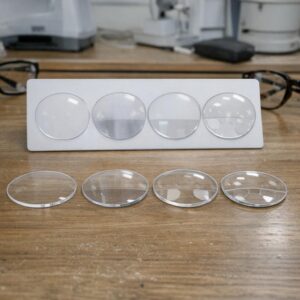
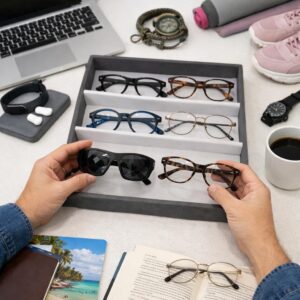
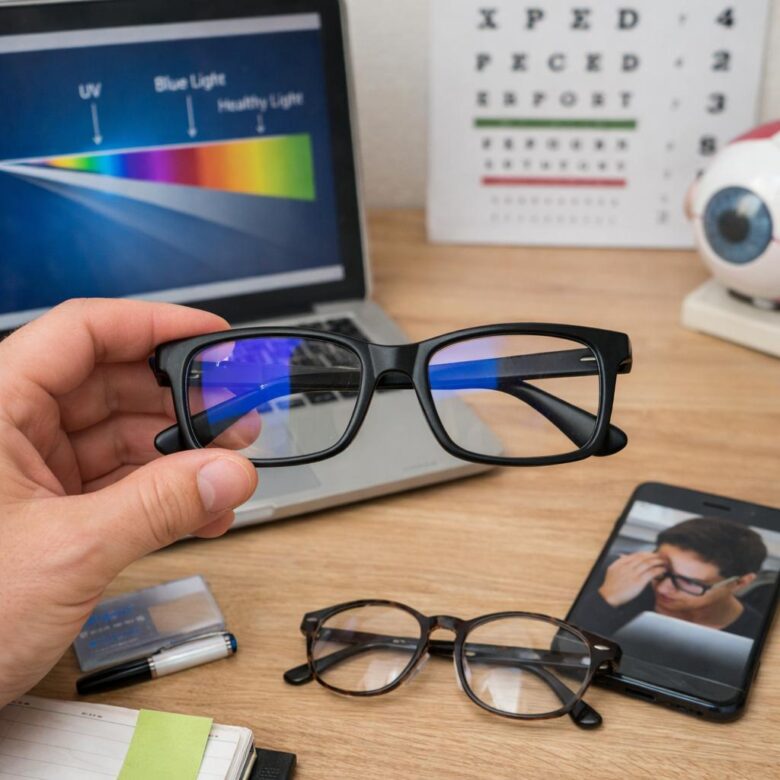
Blue light glasses are designed to filter part of the high-energy visible light emitted by screens, LED lighting, and digital devices. The main lens types are clear blue light lenses, lightly tinted computer glasses, amber lenses, and prescription blue light glasses with an added coating. In real use, the difference often comes from the full lens package: anti-reflective coating, correct prescription, screen distance, and lighting matter just as much as the blue light filter.
For daily office work, clear lenses with anti-glare treatment are usually the most practical because they do not distort colors much. Amber lenses block more blue-violet light but can make design work, photo editing, or color-sensitive tasks harder. For example, someone working eight hours in Google Sheets or Microsoft Teams may benefit more from reduced glare and proper monitor brightness than from the darkest blue light blocking glasses.
- Clear lenses: best for general computer use, video calls, and prescription eyewear.
- Yellow or amber lenses: better for evening screen use, gaming, or bright LED environments.
- Blue light coating: often bundled with premium lens upgrades at an optical store or optometrist clinic.
It is also important to understand what these glasses cannot do. They may reduce visual discomfort for some people, but they do not fix dry eyes, poor posture, uncorrected vision, or excessive screen brightness. Before paying extra cost for premium computer glasses, check basics like the 20-20-20 rule, monitor height, text size, and tools such as f.lux or Night Shift for warmer evening display settings.
How to Choose Blue Light Glasses Based on Screen Time, Lens Tint, and Daily Use
Start with your actual screen routine, not the strongest lens you can find. If you use a laptop for 2-4 hours a day, clear blue light glasses with an anti-reflective coating are usually more practical for office work, video calls, and casual browsing.
For 6+ hours of daily screen time, especially with spreadsheets, coding tools, or platforms like Microsoft Teams, consider computer glasses with a light amber tint and prescription options if you already wear corrective lenses. In real-world use, people often notice the biggest comfort difference from reduced glare and better lens quality, not just the blue light filter itself.
- Clear lenses: Best for daytime work, meetings, school, and color-sensitive tasks like design or photo editing.
- Yellow or amber lenses: Better for evening use, gaming, streaming, or long sessions under bright LED lighting.
- Prescription computer glasses: Worth asking about during an eye exam if you get headaches, blurred vision, or neck strain at your desk.
Also compare lens coating, frame comfort, return policy, and replacement cost before buying. A cheaper pair may look fine online, but poor coatings can create reflections that make digital eye strain worse during night driving, remote work, or extended monitor use.
If your goal is better sleep, pair tinted glasses with screen settings such as Night Shift, dark mode, or a warmer monitor color temperature. Glasses help most when they fit your routine, your lighting, and your daily devices-not just the product label.
Common Buying Mistakes: Overlooking Fit, Color Distortion, and Unsupported Blue Light Claims
One of the biggest mistakes buyers make is treating blue light glasses like a one-size-fits-all accessory. Poor frame fit can cause pressure behind the ears, slipping during work, or headaches that have nothing to do with screen exposure. If you wear prescription blue light glasses, check the return policy, lens replacement cost, and whether your vision insurance covers anti-reflective coating or specialty lenses.
Color distortion is another issue people notice too late. Strong amber or orange lenses may reduce glare, but they can make photo editing, design work, online shopping, or medical chart review less accurate. For example, a graphic designer using Adobe Photoshop may find that warm-tinted lenses alter whites, skin tones, and product colors enough to affect final decisions.
- For office work: choose clear or lightly tinted lenses with a quality anti-reflective coating.
- For evening use: consider warmer lenses, but avoid them for color-critical tasks.
- For kids or teens: prioritize frame durability, comfort, and an eye exam over marketing claims.
Be careful with brands that promise better sleep, migraine relief, or total eye strain protection without explaining lens specifications. Digital eye strain often comes from brightness, poor posture, dry eyes, uncorrected vision, and long screen sessions-not blue light alone. A practical approach is to combine well-fitted computer glasses with screen settings like Windows Night Light, regular breaks, and proper monitor distance.
Expert Verdict on Blue Light Glasses Explained: What Buyers Should Know Before Choosing
The best blue light glasses are the ones that match your actual routine. If you mainly want comfort during long screen sessions, choose a subtle lens with verified filtering and good frame fit. If sleep support is your priority, consider stronger evening-use lenses and limit bright screens before bed.
- Check filter claims instead of relying on lens color alone.
- Prioritize comfort, clarity, and return policies.
- Use them as one tool-not a replacement for screen breaks or healthy sleep habits.
Buy with a clear purpose, and you’re far more likely to choose a pair that genuinely helps.